Hevacomp Alternatives, What to Use Now Hevacomp Is Retired
Compare the best Hevacomp alternatives for UK building services engineers, what Bentley's retirement means, and why h2x is the modern replacement.
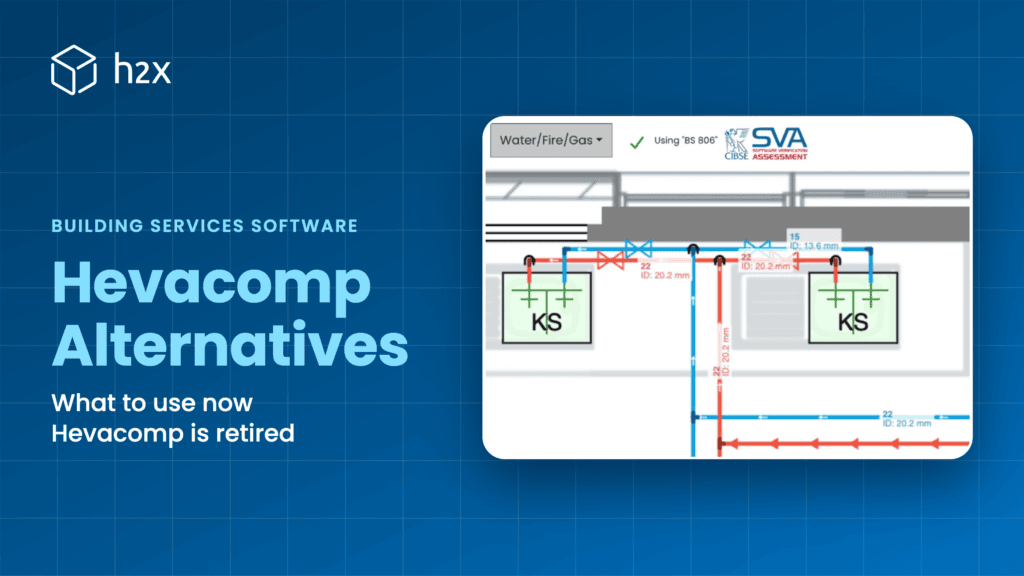
The main Hevacomp alternatives are h2x design software, Bentley’s own OpenBuildings Designer, MagiCAD, Stabicad, and Cymap and MEPworx from ARKANCE.
For consultants who used Hevacomp to size pipework and ductwork, h2x is the modern replacement. It does the same calculation work in the browser, on your drawings, with exports to Revit and AutoCAD. So this guide explains what happened to Hevacomp, compares every option, and shows where each one fits.
Quick Answer: Bentley ended support for Hevacomp on 1 January 2026 and stopped selling new seats. Existing installations still work but get no updates. Alternatives include h2x, which designs mechanical, plumbing and wet fire systems in the browser, Revit plugins such as MagiCAD and Stabicad, desktop suites such as Cymap, and Bentley’s own OpenBuildings Designer.
What Happened to Hevacomp?
Bentley Systems has retired Hevacomp. According to Bentley’s retirement notice, the retired products include Hevacomp Mechanical Designer, Electrical Designer, Dynamic Simulator, both System Builders and the Contractor editions.
Bentley gave limited support until 1 January 2026, and none after that date. As a result:
- No new Hevacomp seats are sold, and no updates or patches are issued.
- Existing installations keep working, but subscription seats become node-locked to one machine.
- Hevacomp entitlements are no longer included with OpenBuildings, although E365 subscribers can still use it as part of OpenBuildings Designer.
So Hevacomp will run on the machines you have today. However, it won’t follow new standards or Windows changes, and nobody will fix it when something breaks.
What to Look for in Hevacomp Alternatives
Before you compare products, list what your team actually used Hevacomp for. In general, engineers fall into one of three groups: mechanical and public health design, electrical design, or dynamic simulation. Then check each alternative against these questions:
- Calculations. Does it size pipes and ducts and work out loads using the CIBSE methods your clients expect?
- Disciplines. Does it cover every system you design, including drainage, gas or fire if you need them?
- Platform. Does it run on its own, or inside Revit or AutoCAD, which adds a second subscription and Revit skills?
- Outputs. Can you issue drawings and calculation reports, and hand the design to the drafting team without redrawing it?
- Moving over. How long will it take to train the team, and what help does the vendor give?
Hevacomp Alternatives Compared
Specifically, these descriptions come from each vendor’s own pages. Meanwhile, the certificate column shows CIBSE’s register of Software Verification Assessment certificates, read in November 2026. CIBSE closed that scheme to new applications in June 2026, so a tool without a certificate hasn’t necessarily failed anything.
| Tool | How it runs | Disciplines | CIBSE certificates on the register | Best for |
|---|---|---|---|---|
| h2x | In the browser, with Revit and AutoCAD export | Mechanical, plumbing, wet fire | Air, Domestic Water, Heating and Cooling Water | Consultants replacing Hevacomp’s mechanical and public health design |
| OpenBuildings Designer (Bentley) | Windows desktop BIM software | Architectural, structural, mechanical, electrical, energy | None listed | Firms already on Bentley software |
| MagiCAD | Inside Revit, AutoCAD or BricsCAD | Piping, ventilation, electrical, sprinkler | Air, Heating and Cooling Water | Teams that already model in Revit or AutoCAD |
| Stabicad for Revit (Trimble) | Inside Revit | Mechanical and electrical | Air, Domestic Water, Drainage, Heating and Cooling Water | Revit teams needing electrical too |
| Cymap and MEPworx (ARKANCE) | Desktop calculation software | Mechanical and electrical | MEPworx: Piped and Domestic systems | Teams that prefer installed desktop software |
h2x, the Modern Replacement for Hevacomp’s Design Work
h2x does the job most engineers bought Hevacomp for: sizing heating, cooling, domestic water, drainage, gas, ventilation and wet fire systems with automatic calculations. The difference is how it works. First, you import a PDF floor plan and trace the layout over it. Then h2x calculates as you draw, so every pipe and duct shows its size, flow, velocity and pressure drop.
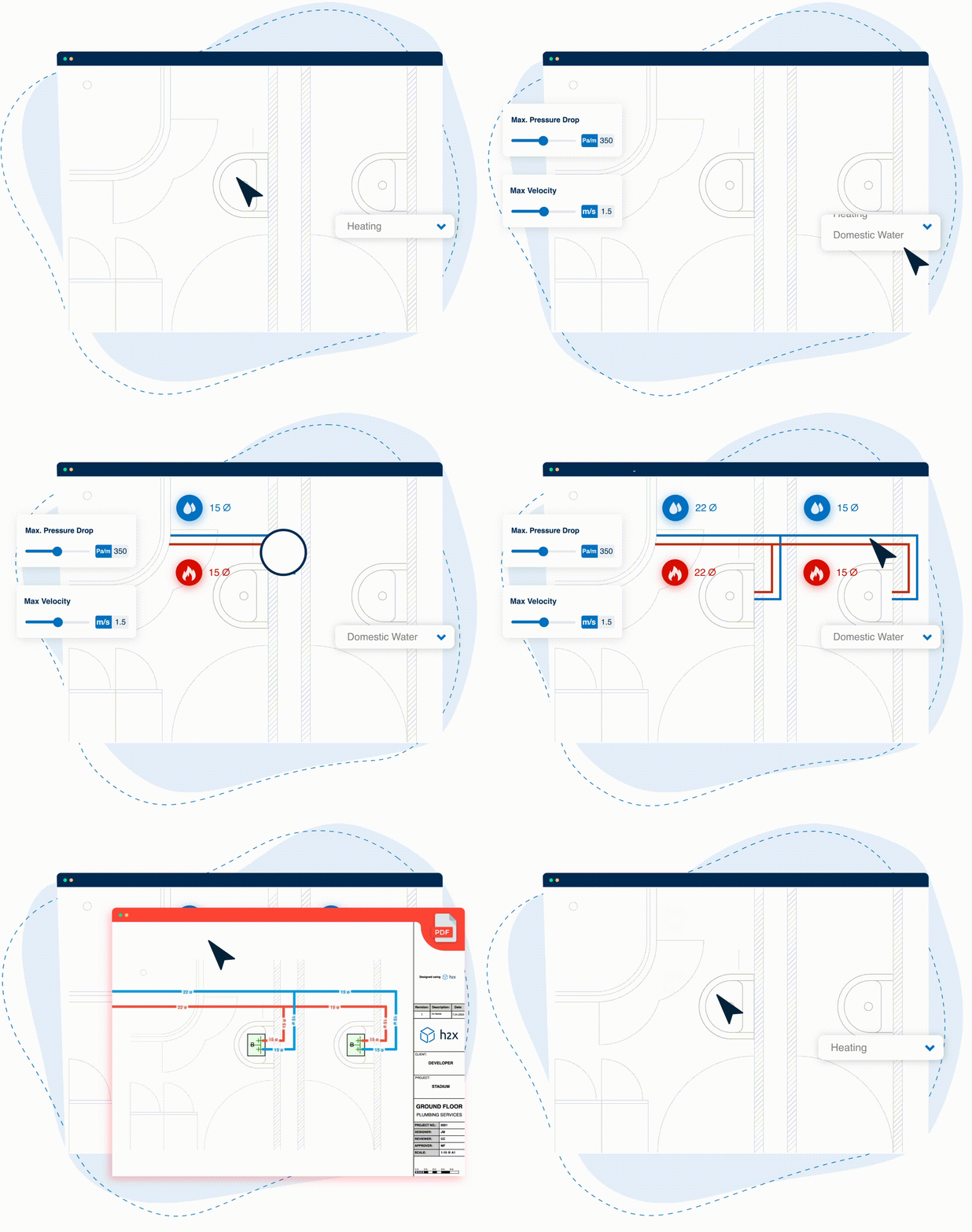
Why it’s our pick for mechanical and public health design:
- No installation. h2x runs in the browser, so the team works from the office, home or site on the same version, with no machine to node-lock.
- Calculations you can check. h2x’s heating and cooling water, domestic water and ventilation calculations are verified by CIBSE, and results show on every component for review.
- Faster design. Engineers can design up to four times faster than traditional methods, and h2x recalculates the whole system when the layout changes.
- Quick to learn. New users can complete a basic system design in under 30 minutes without formal training.
- Plan changes without starting again. When the architect issues new drawings, swap in the new PDF; h2x keeps your design in place and recalculates.
- No redrawing. h2x’s Revit integration turns the sized design into your own Revit families, and AutoCAD export is there too.
- Actively developed. h2x’s development team ships regular improvements and updates to the software, meaning the product is constantly improving, where Hevacomp will get none.
- Supported. h2x’s team helps with set-up, training and questions, while Bentley no longer supports Hevacomp.
h2x doesn’t do electrical design or dynamic thermal simulation, so teams that relied on those Hevacomp modules will need another tool for that work.
OpenBuildings Designer
In fact, Bentley says Hevacomp’s intended capabilities are now built into OpenBuildings Designer. For example, its page lists HVAC, piping and plumbing models, pipe sizing to CIBSE algorithms, duct sizing, electrical circuits and EnergyPlus energy analysis.
Best for: firms already on Bentley software, and teams that want electrical, mechanical and energy work in one BIM tool. It’s a full building design platform, though, so expect more set-up and training than Hevacomp needed.
MagiCAD
Unlike h2x, MagiCAD runs inside Revit, AutoCAD and BricsCAD, with modules for piping, ventilation, electrical and sprinkler design.
Best for: teams that already model in Revit or AutoCAD and want MEP design inside that model. So you’ll need Revit, AutoCAD or BricsCAD alongside it.
Stabicad for Revit
Similarly, Trimble describes Stabicad as MEP design inside Revit, with calculations and libraries adapted for the UK. It also holds the widest set of CIBSE certificates on the register, including drainage.
Best for: Revit-based teams that need mechanical and electrical design in one add-in. Like MagiCAD, it depends on Revit and Revit skills.
Cymap and MEPworx, the Desktop Hevacomp Alternatives
Finally, ARKANCE, which now includes Cadline, sells two UK calculation products. Cymap covers heating, cooling, energy and psychrometric calculations, and Cymap Electrical covers cable sizing. MEPworx, ARKANCE’s other product, has mechanical and electrical modules.
Best for: teams that prefer installed desktop software over browser or Revit-based tools.
How We Compared These Hevacomp Alternatives
h2x makes one of the tools on this list, so read our recommendation with that in mind. We described every other tool from its vendor’s own pages and CIBSE’s certificate register, both read in November 2026, and we didn’t test competitors’ software ourselves.
Features, platforms and licensing change, so check the current position with each vendor before you choose. Better still, run one of your own past Hevacomp projects through a trial of each shortlisted tool and compare the results.
How h2x Helps with Moving Off Hevacomp
A good way to start is to redraw one recent Hevacomp project in h2x and compare the pipe sizes and pressure drops with your old results. That shows the calculations line up before you commit a live job. For a feature-by-feature view, see h2x vs Hevacomp, or watch a recorded demo.
Key Takeaways
Hevacomp still runs but has no support or future, so plan the move before a project depends on it. Match the replacement to what your team used Hevacomp for, then test it on a real project.
- Bentley ended Hevacomp support on 1 January 2026, and no new seats are sold.
- Existing Hevacomp installations keep working, but become node-locked and get no updates.
- Instead of Hevacomp, Bentley now has OpenBuildings Designer.
- MagiCAD and Stabicad work inside Revit, so they suit teams that already model there.
- Cymap and MEPworx from ARKANCE are desktop calculation packages with mechanical and electrical modules.
- h2x is the modern, browser-based replacement for Hevacomp’s mechanical, plumbing and wet fire design, with Revit and AutoCAD export.
FAQ
Is Hevacomp still supported?
No. Bentley ended Hevacomp support on 1 January 2026, after a period of limited support through 2025. No updates or patches will be issued, and Bentley no longer sells new Hevacomp seats. Existing installations still work, but subscription seats become node-locked to one machine.
Can I still use Hevacomp?
Yes. Bentley says Hevacomp keeps working once a seat becomes node-locked, and E365 subscribers can still use it as part of OpenBuildings Designer. However, you won’t get support, updates or fixes, so it’s risky to start long projects in it.
What are the main Hevacomp alternatives?
The main Hevacomp alternatives are h2x, OpenBuildings Designer, MagiCAD, Stabicad, Cymap and MEPworx. The right one depends on whether you need electrical design, design inside Revit or standalone calculations, and on how much retraining your team can take on.
Is OpenBuildings Designer the same as Hevacomp?
No. OpenBuildings Designer is Bentley’s multidisciplinary building design software, covering architecture, structure, mechanical, electrical and energy analysis. Bentley says you can keep familiar Hevacomp workflows inside it, but it’s a larger BIM platform, so plan time for set-up and training.
Which Hevacomp alternatives work inside Revit?
MagiCAD and Stabicad both run inside Revit, so they suit teams that already design there, although each needs Revit alongside it. OpenBuildings Designer is Bentley’s own BIM platform instead. h2x runs in the browser and sends sized designs to Revit through its Revit integration, while Cymap can read geometry exported from Revit.
What is the best Hevacomp replacement for mechanical and public health design?
For consultants who used Hevacomp to size pipework and ductwork, h2x is the closest modern replacement. It designs mechanical, plumbing and wet fire systems on your drawings in the browser, and its heating and cooling water, domestic water and ventilation calculations are verified by CIBSE. It doesn’t cover electrical design.
Moving Off Hevacomp? See How h2x Compares
Trace your layouts over imported drawings in h2x, see every size and pressure drop as you go, then send the design to Revit or AutoCAD. Its heating and cooling water, domestic water and ventilation calculations are verified by CIBSE.
Meet the author

Daniel Mousdell
Daniel Mousdell is the Founding Marketer at h2x, where he creates technical content and resources for HVAC and MEP engineers. Outside of work, he runs LilWayneHQ.
Article published: October 27, 2022
Last updated: November 11, 2026