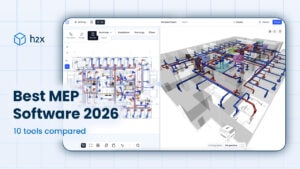
MEP Design Software: Cut Time and Improve Accuracy
Traditional workflows mix spreadsheets, AutoCAD, and Revit. The fastest way to reduce errors, prevent RFIs, and hit deadlines is to pair them with MEP design software built for engineers, so calculations and design layouts stay in sync.

What Is MEP in Engineering
MEP covers Mechanical, Electrical, and Plumbing, the building services that deliver comfort, safety, and reliability. In practice this spans heating and cooling plant, ductwork and pipework, ventilation rates, lighting, power distribution, and low-voltage systems; many teams also include Fire protection, which is why you’ll often see MEPF.
The Traditional Process: Slow, Fragmented, and Risk-Prone
The problems everyone knows (and why they kill speed and accuracy):
- Fragmented tools: spreadsheets, PDFs, CAD/Revit… nothing talks to each other.
- Double/triple drawing: sketch on PDF, draft in CAD, then model in Revit for coordination.
- Manual data entry: measure/count on PDFs, then retype into spreadsheets and CAD; errors creep in as data moves between tools.
- Spreadsheet bottlenecks: hard to review, weak version control, missing context.
- Constant change: architects shift layouts; recalcs and redraws lag behind.
- Risk of error: mismatches surface in RFIs or on site (often embarrassingly), triggering rework, delays, and avoidable cost.
AutoCAD & Revit: Essential, but Not Purpose-Built for MEP Design
Clients often require AutoCAD and Revit, and you’ll keep using them. But they’re not purpose-built MEP calculation tools and, on their own, won’t cut time or improve accuracy.
In most firms, CAD/Revit sits on top of spreadsheets where the calculations and system sizing are done. That split drives the core issues: slow iteration and avoidable inaccuracies, because the numbers and the model live in different places. The fix isn’t replacing CAD/Revit; it’s pairing them with specialist MEP design software that automates calculations and keeps designs current as they iterate.
Why Use MEP Design Software?
Choosing the best MEP design software for engineers comes down to finding the one that helps you to improve accuracy and speed. Be specific about the following, because these are where projects win or lose time.
- Easy to use: an intuitive UI that lets you draw systems fast with minimal clicks and sensible defaults.
- Smart drawing tools: rules, snaps, and service zones that guide routing and keep layouts clean without manual tidy-up.
- Calculation engines: full system sizing (ducts/pipes), pressure loss, flows, and loads with visible assumptions (standards, roughness, air/water properties) and unit control (SI/IP). Also, calcs preferrably verified by the Chartered Institution of Building Services Engineers (CIBSE).
- 3D view for validation: review the model in 3D to check clearances, clashes, constructability, and catch issues before you issue drawings.
- Standards libraries & templates: naming, symbols, families, and rules so outputs look the same across teams and jobs.
- Integrations: dependable iterations with other platforms that you may already use, such as Revit and AutoCAD, to prevent redrawing.
- Live updates: edit a parameter once and have reports, schedules, and drawings update automatically.
- Collaboration: easy file sharing of models, drawings, and calc reports with teammates and partners, such as architects, structural engineers, and MEP engineers.
- Version control & QA: audit trails, compare/review tools, and sign-off checkpoints to keep reviews tight and traceable.
- Export options: Transparency into calculations, branded PDFs, list of materials (BOMs), ready for submittals.
- Performance at scale: reliable and fast on large, multi-disciplinary models without stalls or timeouts.
- Adoption: licensing, ease of getting started (onboarding), and training that match your team’s size and experience.

h2x: Specialist MEPF Design Software That Links It All Together
h2x gives MEP designers a faster, more reliable path from concept to coordinated documentation. Focused on Mechanical, Plumbing, and Fire, it applies CIBSE-verified methods for duct and pipe sizing, pressure loss, flows, and loads; electrical isn’t included today, but it is on our roadmap.
Layouts and calculations stay connected: set materials, velocity, and other limits and parameters, and h2x sizes ducts and pipes, calculates pump and fan duties, and produces export-ready outputs, such as branded PDFs, BOMs, calculation reports, plus AutoCAD and Revit integrations. Its built-in 3D View makes coordination proactive, so you spot clashes as you design, run thorough reviews, and trust that your calculations are always accurate and up to date.
Frequently Asked Questions
What is MEP software?
MEP software models and calculates Mechanical, Electrical, and Plumbing systems (often with Fire) so teams can design, coordinate, and document services in one place. Additionally, it unifies design logic, standards, and layouts to reduce rework and improve handover.
Why use MEP design software over spreadsheets?
Purpose-built tools automate sizing and pressure loss, enable 3D coordination, and connect outputs so you avoid manual re-entry. Consequently, you cut errors, accelerate revisions, and issue clearer documentation.
Is MEP included in Revit?
Revit is a BIM authoring platform, great for modelling and documentation, but it isn’t purpose-built for MEP design calculations. Therefore, most teams pair it with specialist MEP software to run verified system sizing.

Which BIM software is best for MEP?
Use what your clients standardise on (often AutoCAD or Revit) and make sure your software works with it cleanly. Furthermore, the best setup is the one that lets you complete design and calculations accurately and hand off without redrawing.
Does h2x cover electrical?
Not currently; h2x focuses on Mechanical, Plumbing, and Fire (MEPF without E). Meanwhile, you can run an electrical platform beside h2x and keep MEP-level coordination across trades.
What 3D modelling techniques matter in MEP design software?
Get the basics right: exact location, correct height (elevation), and accurate size for every run and component, with clearances noted. In practice, confirm it fits and is constructible: check service zones, access, and buildability so installers can install without clashes.

Conclusion

Everyone knows AutoCAD and Revit are table stakes; the real gains come from pairing them with specialist MEP design software that closes the gaps. h2x is built for what MEP teams value most: speed and accuracy. You lay out intuitive drawings in minutes, review them in a live 3D View, and rely on CIBSE-verified calculations for duct and pipe sizing, pressure loss, flows, and loads. When an architect moves a wall or revises a riser, h2x updates sizes, schedules, and reports automatically, so redesigns are fast, consistent, and traceable.
Delivery is just as straightforward. Pair h2x with Revit or h2x with AutoCAD, generate branded PDF drawing sets, and share clear, review-ready reports… without redrawing or retyping. The result is fewer RFIs, tighter coordination, and a predictable path from concept to construction.
At a glance:
- Intuitive drawings: rapid layout with standards and naming baked in.
- 3D View: instant, contextual checks to spot clashes early before exporting to Revit/AutoCAD.
- Verified calculations: CIBSE-backed methods for real-time updates as layouts change.
- Easy redesigns: changes cascade to calculations, schedules, and sheets.
- Flexible exports: Revit/AutoCAD integrations, BOMs/specs, branded PDFs, reports, and sharable web links.
Ready to see how h2x speeds accurate MEPF design? Book a demo or start a free trial today.
Meet the author

Daniel Mousdell
Daniel Mousdell is a Digital Marketer at h2x, where he creates technical content and resources for HVAC and MEP engineers. Outside of work, he runs LilWayneHQ.
Article Last Updated: August 13, 2026